


InVideo: A Complete Guide to the Online Video Editing Platform

In today’s digital-first world, content is no longer limited to text and images. Video has become the most engaging medium for storytelling, marketing, education, and entertainment. Whether you are a business owner, digital marketer, educator, or simply a creative individual who wants to share engaging stories, video plays an essential role in connecting with audiences. But not everyone has the technical expertise or the budget to use complex software like Adobe Premiere Pro, Final Cut Pro, or After Effects. This is where InVideo comes into the picture.
InVideo is a browser-based video creation and editing platform designed to make video production accessible to everyone. With its user-friendly interface, ready-made templates, AI-powered features, and customization tools, it allows even beginners to create professional-quality videos in minutes. This article explores InVideo in depth—its features, benefits, use cases, pros and cons, and tips for getting the most out of it.
What is InVideo?
InVideo is an online video editing platform that enables users to create, edit, and publish videos without requiring advanced editing skills or expensive hardware. Being web-based, it eliminates the need to download heavy software and makes video creation possible on almost any device with an internet connection.
The platform is particularly popular among content creators, social media managers, marketers, and small businesses. It provides thousands of customizable templates, stock footage, music tracks, and drag-and-drop editing options. From explainer videos and advertisements to YouTube intros and social media reels, InVideo caters to multiple use cases.
Key Features of InVideo
1. Extensive Template Library
One of InVideo’s strongest features is its vast library of pre-designed templates. These templates are designed for different industries and purposes, such as business promotions, product launches, real estate listings, wedding invitations, and motivational videos. Users can simply pick a template and customize it according to their needs, saving both time and effort.
2. AI-Powered Text-to-Video
InVideo’s AI-driven text-to-video feature allows users to transform written content into engaging video presentations. This is especially useful for bloggers, educators, and businesses that want to repurpose written articles, social media posts, or product descriptions into videos without having to start from scratch.
3. Drag-and-Drop Editor
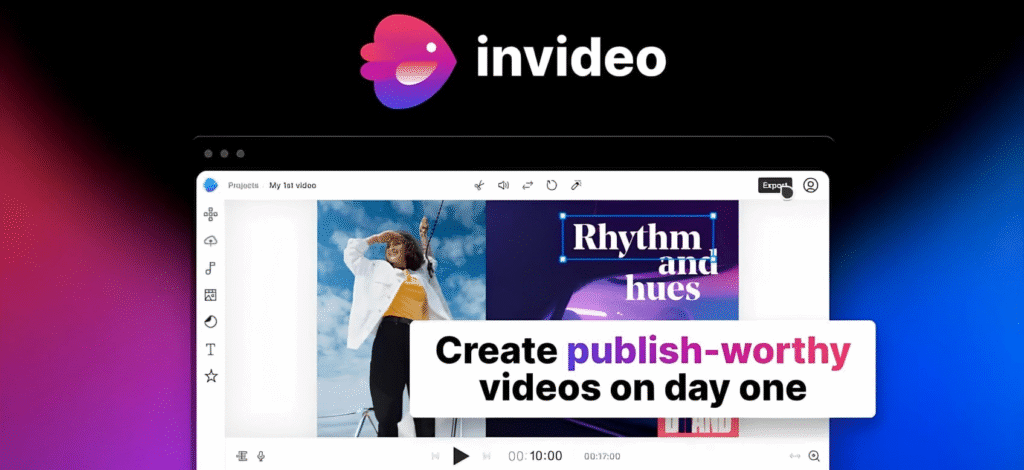
The editor is designed to be beginner-friendly. Users can drag and drop images, videos, and music into their project, adjust transitions, and edit text overlays without needing advanced technical knowledge. The interface is intuitive, making it easy for newcomers to navigate.
4. Stock Footage and Music Integration
InVideo offers access to millions of royalty-free stock videos, images, and audio tracks. This integration allows creators to enhance their videos with professional-quality assets without having to pay for third-party libraries.
5. Advanced Editing Options
Although beginner-friendly, InVideo also includes advanced features such as voiceovers, animations, custom branding, overlays, and speed adjustments. This balance ensures that both beginners and experienced editors can use the platform effectively.
6. Collaboration Features
Teams can collaborate on projects by sharing editable links. This is particularly useful for marketing teams or agencies that need to co-create and approve content before publishing.
7. Export Options
Videos can be exported in different resolutions, from 720p to full HD, depending on the user’s subscription plan. There is also direct sharing support to platforms like YouTube, Facebook, and Instagram, reducing the steps between editing and publishing.
Benefits of Using InVideo
1. Accessibility
Since InVideo is cloud-based, it doesn’t require high-end computers to function. Users can work from almost any device, making it accessible to freelancers, students, and small businesses.
2. Time-Saving
The ready-to-use templates and AI features significantly reduce the time needed to create a polished video. A task that might take hours in traditional software can be completed in minutes on InVideo.
3. Cost-Effective
Compared to expensive editing software and hiring professional editors, InVideo provides a much more affordable option. Even its free plan offers substantial features for beginners.
4. Ease of Use
Its drag-and-drop functionality and simplified interface make it easy for non-technical users to create content. Unlike traditional software that requires weeks of training, InVideo can be learned in a matter of hours.
5. Versatility
The platform supports multiple types of content creation—from marketing videos and slideshows to tutorials and social media reels. This makes it suitable for creators in different industries.
Popular Use Cases
1. Social Media Marketing
Marketers can use InVideo to create short, engaging videos for platforms like Instagram, TikTok, Facebook, and LinkedIn. Its templates are optimized for different formats such as square, vertical, and landscape, ensuring content looks professional across platforms.
2. YouTube Content Creation
YouTubers can use InVideo to make intros, outros, promotional videos, and even full-length tutorials. The stock footage and music library makes it easier to enhance video quality without external resources.
3. Business Promotions
Small and medium businesses can create product demos, advertisements, and testimonial videos without hiring a professional production team.
4. Education and E-Learning
Teachers and educators can transform lessons into engaging visual presentations, making learning more interactive and easier to retain.
5. Event Highlights
From weddings to corporate functions, InVideo’s templates allow for quick highlight reels, invitation videos, and recap montages.
Pros and Cons of InVideo
Pros
- Beginner-friendly with drag-and-drop tools
- Thousands of industry-specific templates
- AI-powered text-to-video capabilities
- Affordable pricing compared to professional editing software
- Large library of stock footage, images, and music
- Cloud-based with cross-device compatibility
- Supports team collaboration
Cons
- Limited offline functionality since it requires an internet connection
- Advanced editors may find it restrictive compared to professional-grade software
- Export times can be longer depending on video length and internet speed
- Some premium features are locked behind paid plans
Who Should Use InVideo?
- Content Creators and Influencers: Those who regularly post on social media and need quick, eye-catching content.
- Businesses: Small to medium enterprises that want to promote products and services without investing heavily in video production.
- Educators: Teachers, trainers, and course creators who want to present lessons visually.
- Marketers: Digital marketers who need to produce ads, explainers, and product showcases for campaigns.
- Beginners in Video Editing: People who want to start creating videos without diving into the complexity of professional editing software.
Tips for Getting the Most Out of InVideo
- Start with Templates: If you are new, use ready-made templates as a base. This gives you a structure to work with and saves time.
- Leverage Stock Footage: Don’t hesitate to use the vast library of stock assets to enhance your projects.
- Experiment with Branding: Use custom logos, brand colors, and fonts to maintain consistency across all your videos.
- Utilize AI Text-to-Video: Repurpose blog posts or articles into video format to maximize content reach.
- Keep Videos Short and Engaging: Especially for social media, concise videos perform better.
- Practice Regularly: The more you use InVideo, the more comfortable you’ll become with its features.
The Future of Video Editing with InVideo
As video continues to dominate digital communication, platforms like InVideo are poised to grow even further. The integration of artificial intelligence, automation, and real-time collaboration will continue to simplify video creation for everyone. With advancements in AI voiceovers, smart editing suggestions, and deeper personalization, InVideo has the potential to become a central tool for content creators and businesses alike.
Conclusion
InVideo bridges the gap between professional video editing software and everyday content creation needs. It provides an accessible, affordable, and efficient way for individuals and businesses to create stunning videos without requiring technical expertise. While it may not fully replace professional-grade editing tools for filmmakers or advanced editors, it is more than sufficient for the majority of content creation needs—especially in marketing, education, and social media.
If you want to save time, reduce costs, and still create engaging, professional-looking videos, InVideo is a platform worth exploring.
