
5 Smart Ways Small Businesses Can Cut Printing Expenses Without Compromising Quality
Printing is one of those silent business costs that adds up quickly—especially for small businesses handling invoices, marketing materials, and day-to-day documentation. The good news? Cutting costs doesn’t mean settling for poor print quality. It’s about making smarter choices in how and what you print.
Here are five practical ways to reduce printing expenses without hurting output quality.
1. Shift to High-Yield Ink Systems
One of the highest hidden costs in printing is frequent cartridge replacement. Traditional cartridges may seem affordable upfront, but they often run out quickly.
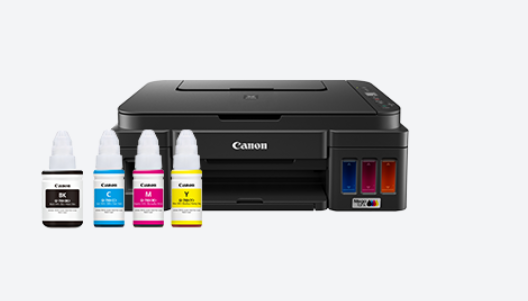
Switching to refillable ink tank systems can significantly reduce long-term costs. Printers like the Canon PIXMA G2010 are designed for high-volume printing with ink bottles that can deliver up to 6,000–7,000 pages, making them far more economical over time.
If you’ve ever looked up the Canon G2010 printer price, you’ll notice that the upfront cost is only part of the equation. What deserves attention is how much you save over time through a lower cost per page. For businesses that print regularly, this shift alone can significantly reduce recurring expenses without compromising on output quality.
2. Print Only What Adds Value
Not everything needs to be printed. Internal drafts, approvals, and communication can often stay digital.
Reserve printing for client-facing documents, final invoices, or materials that genuinely benefit from being physical. This reduces unnecessary usage while maintaining quality where it matters most.
3. Use the Right Print Settings for the Right Job
Many businesses default to high-quality print settings for everything, which isn’t always necessary.
Draft mode works perfectly for internal documents, while high-resolution settings can be reserved for presentations or customer materials. Modern printers support high resolutions up to 4800 × 1200 dpi, ensuring that when you print in quality mode, the output is sharp and professional.
This balance helps conserve ink without compromising the final impression.
4. Consolidate Devices with Multifunction Printing
Running separate machines for printing, scanning, and copying increases both cost and maintenance.
All-in-one devices streamline operations. A printer that can handle multiple functions—like printing, scanning, and copying—reduces hardware investment and simplifies workflows. Devices such as the Canon PIXMA G2010 are built with this in mind, making them ideal for small teams managing multiple document needs.
Fewer machines, fewer expenses.
5. Monitor Usage and Plan Ahead
Most small businesses don’t track printing habits—and that’s where costs spiral.
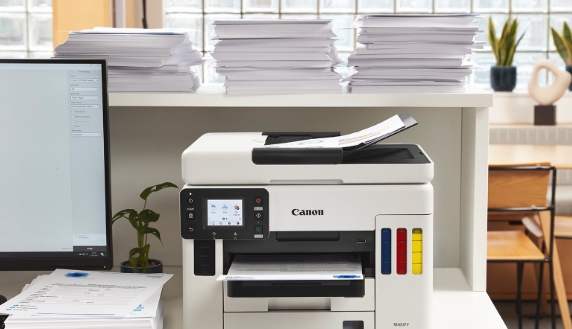
Keeping an eye on monthly print volume helps avoid overuse and ensures you choose the right equipment. For instance, printers designed for moderate monthly volumes (around 150–1500 pages) are better suited for small offices, ensuring efficiency without overspending on heavy-duty machines.
Planning usage also prevents last-minute ink purchases at higher costs.
The Bottom Line
Cutting printing costs isn’t about printing less—it’s about printing smarter. By choosing efficient devices, optimizing settings, and aligning printing with actual business needs, small businesses can reduce expenses without sacrificing quality.
Because in the end, it’s not just about what you print—it’s about how efficiently you do it.